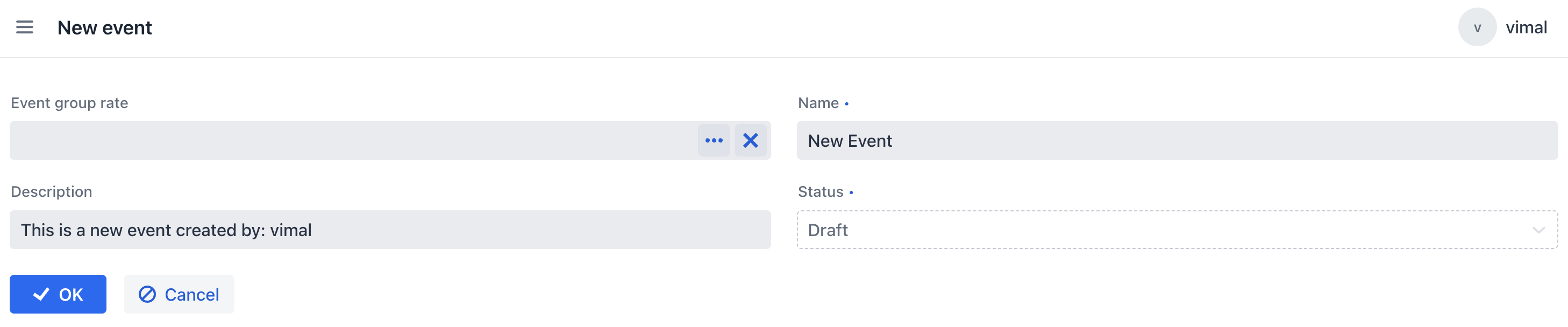
Hi Jmix Team,
I am trying to configure attribute-level security for an entity, but I am not getting the expected behavior.
I have an entity called NewEvent. The user has full entity permissions:
-
Create
-
Read
-
Update
-
Delete
However, I want to restrict the status attribute so that the user can view it but cannot modify it.
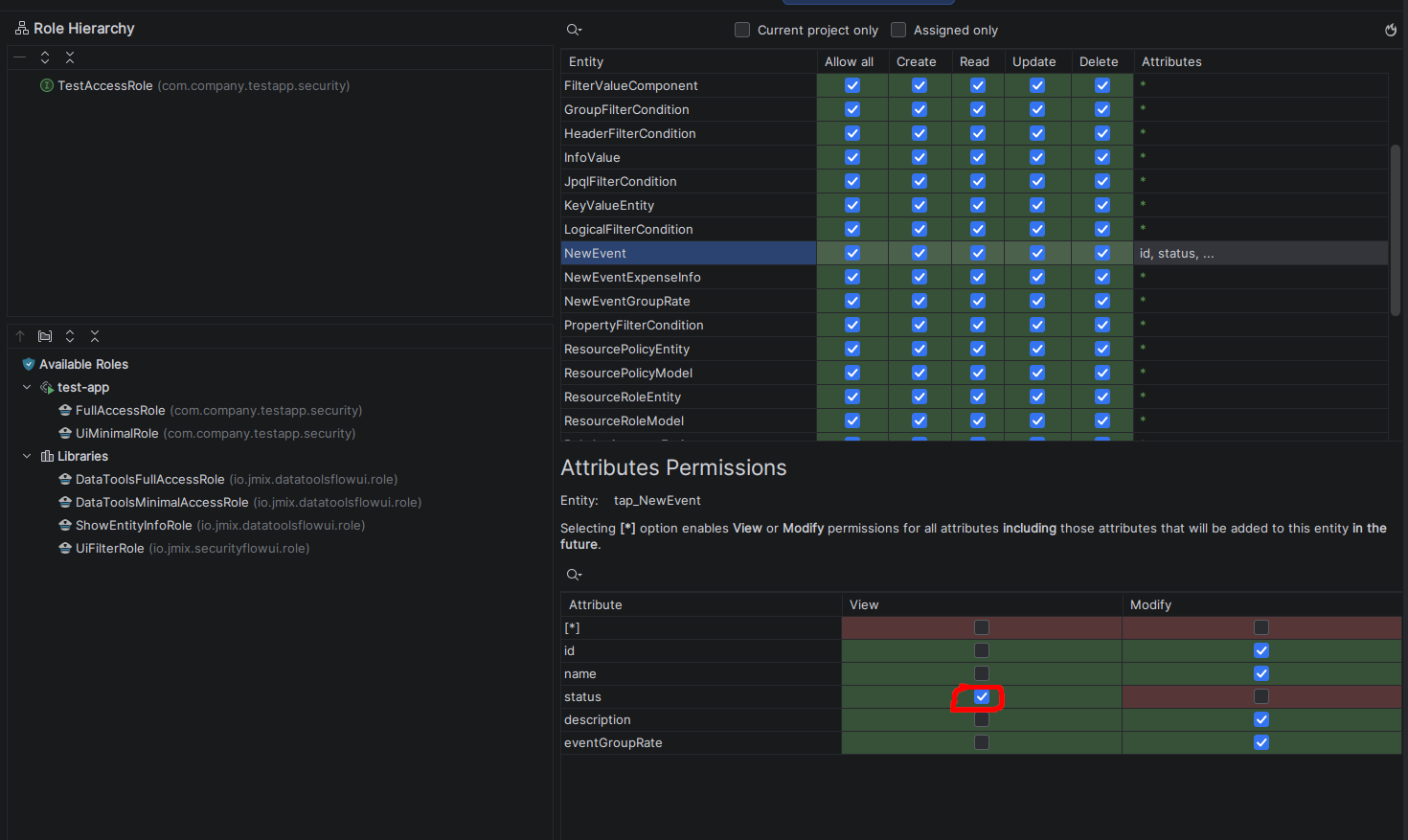
In the Role Definition screen, I configured the permissions as follows:
-
Entity
NewEvent:CREATE,READ,UPDATE, andDELETEare allowed. -
Attribute
status:Viewis allowed, butModifyis not allowed. -
Other attributes, such as
name,description, etc., haveModifypermission.
However, the user is still able to modify the status attribute.
I have attached:
-
The Role Definition / Attribute Permissions configuration.
-
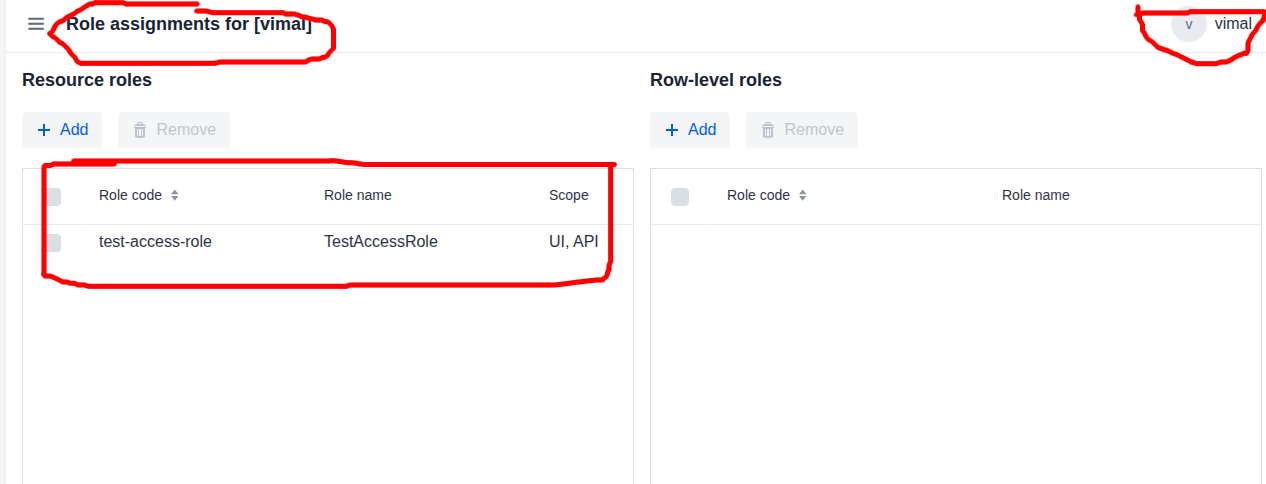
The user and assigned role configuration.
-
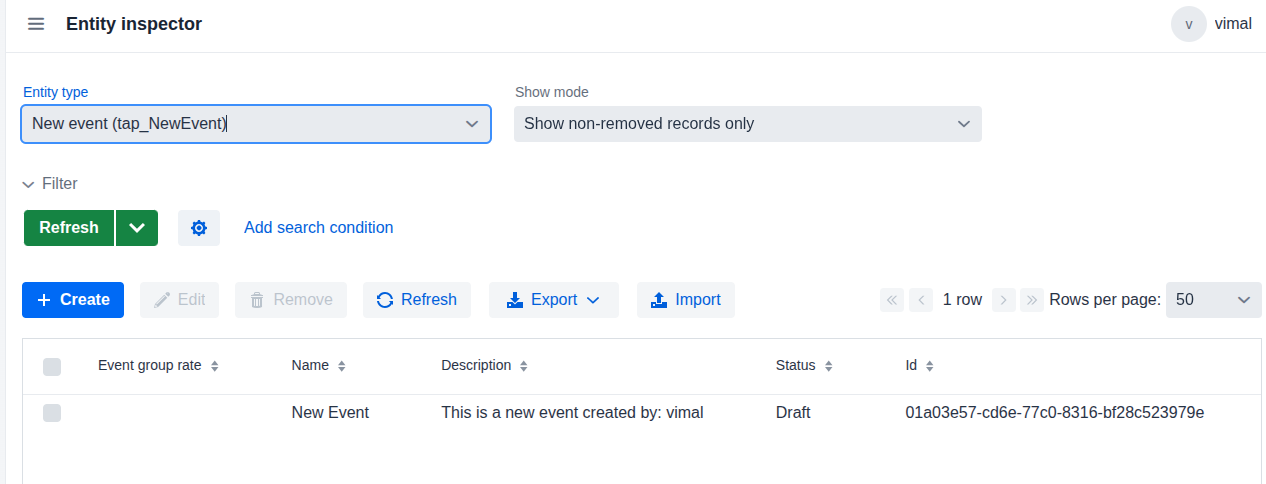
The Entity Inspector output.
My expectation is that the user should be able to update the NewEvent entity and modify the permitted attributes, while the status attribute should remain read-only.
Is this the expected behavior in Jmix? Is it possible to allow entity-level UPDATE permission while restricting a specific attribute to View only and preventing it from being modified?
If this is possible, could you please advise whether there is any additional configuration required or if I am missing something?
Thank you.
@Subscribe(id = "button", subject = "clickListener")
    public void onButtonClick(final ClickEvent<JmixButton> event) {
        NewEvent newEvent = dataManager.create(NewEvent.class);
        newEvent.setName("New Event");
        newEvent.setStatus(EventStatus.DRAFT);
        newEvent.setDescription("This is a new event created by: " + currentAuthentication.getUser().getUsername());
        dataManager.saveWithoutReload(newEvent);
    }
I have also attached the sample project for your reference…
test-app.zip (127.2 KB)