Hi,
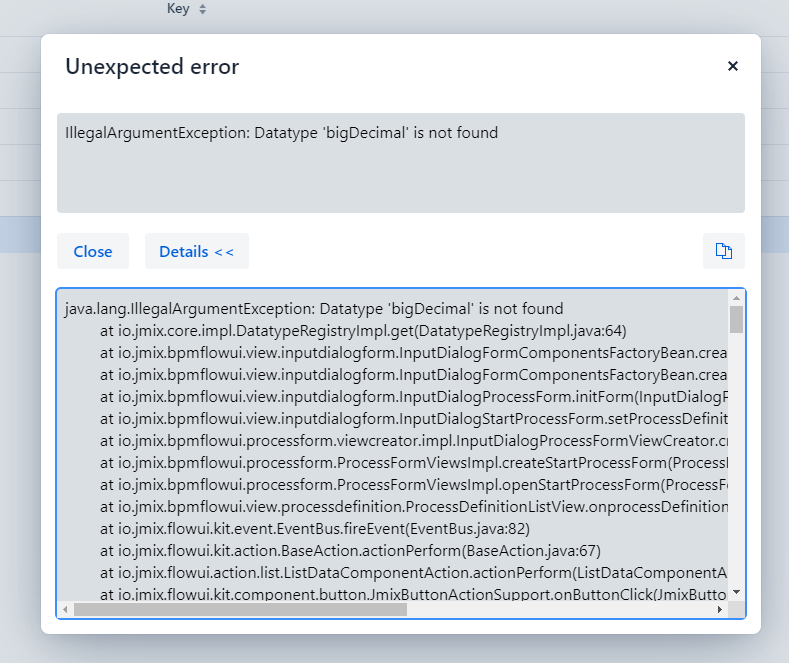
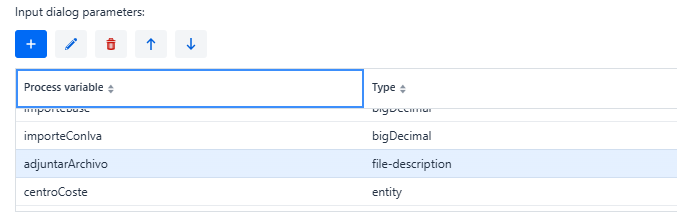
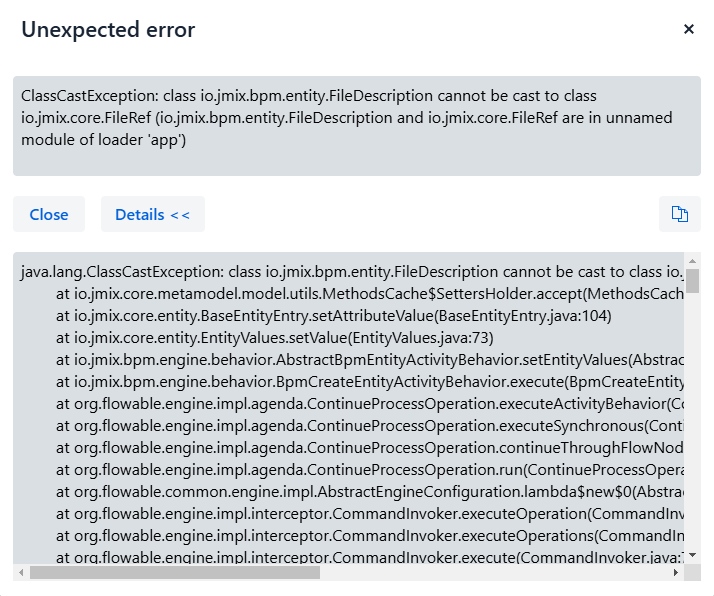
In 2.3.3 jmix version , I have a problem with the BPM module when starting a form with two BigDecimal type fields:
The only way to start the form is by changing the data type to Double both in the form and in the entity in which I´m going to save the data.
Is there any way I can start with BigDecimal and not error when starting the form?
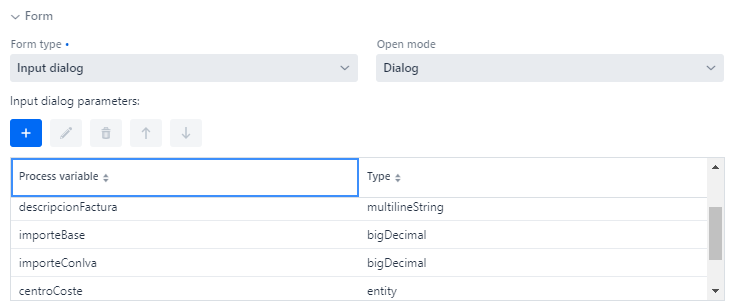
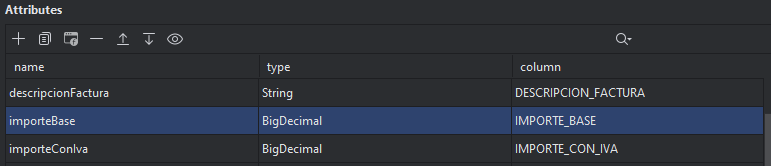
This is how I have the form and entity configured:
Thanks.
mbucan
October 31, 2024, 5:25pm
3
Which database are you using?
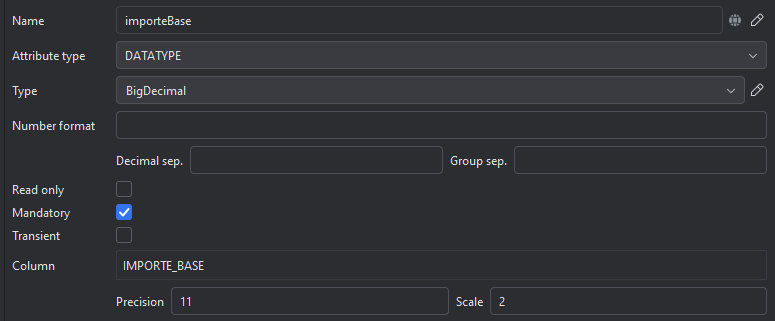
I´m using PostgreSql and the model is the same as in jmix:
For some reason when using bigDecimal it cannot find it and the error appears when starting the form.
mbucan
November 4, 2024, 10:03am
5
I added bigDecimal process variable to one of my processes and I got the same error as you, using Jmix 2.2.3. and Postgres.
Can you use some other datatype instead of bigDecimal instead?
Kind regards,
With the Double data type in the form and the entity it does allow me to perform the actions of starting the form and saving data in the entity.
It seems that the problem comes from bigDecimal, I will be waiting for a response,
Thanks.
shchienko
November 5, 2024, 6:43am
7
Hello @daniel.merino ,
This is a bug. Thank you for reporting a problem. I created an issuer - Datatype 'bigDecimal' is not found · Issue #3839 · jmix-framework/jmix · GitHub
As a workaround, you can add a bigDecimal data type.
@DatatypeDef(id = "bigDecimal", javaClass = BigDecimal.class, defaultForClass = true, value = "custom_BigDecimalDatatype")
@NumberFormat(
        pattern = "0.####",
        decimalSeparator = ".",
        groupingSeparator = ""
)
public class BigDecimalDatatype extends NumberDatatype implements Datatype<BigDecimal> {

    @Autowired
    protected FormatStringsRegistry formatStringsRegistry;
    @Autowired
    protected CoreProperties coreProperties;

    @Override
    protected java.text.NumberFormat createFormat() {
        java.text.NumberFormat format = super.createFormat();
        if (format instanceof DecimalFormat) {
            ((DecimalFormat) format).setParseBigDecimal(true);
        }
        return format;
    }

    @Override
    public String format(Object value) {
        return value == null ? "" : createFormat().format(value);
    }

    @Override
    public String format(Object value, Locale locale) {
        if (value == null) {
            return "";
        }

        FormatStrings formatStrings = formatStringsRegistry.getFormatStringsOrNull(locale);
        if (formatStrings == null) {
            return format(value);
        }

        DecimalFormatSymbols formatSymbols = formatStrings.getFormatSymbols();
        java.text.NumberFormat format = new DecimalFormat(formatStrings.getDecimalFormat(), formatSymbols);
        return format.format(value);
    }

    @Override
    public BigDecimal parse(String value) throws ParseException {
        if (StringUtils.isBlank(value)) {
            return null;
        }

        return (BigDecimal) parse(value, createFormat());
    }

    @Override
    public BigDecimal parse(String value, Locale locale) throws ParseException {
        if (StringUtils.isBlank(value)) {
            return null;
        }

        FormatStrings formatStrings = formatStringsRegistry.getFormatStringsOrNull(locale);
        if (formatStrings == null) {
            return parse(value);
        }

        DecimalFormatSymbols formatSymbols = formatStrings.getFormatSymbols();
        DecimalFormat format = new DecimalFormat(formatStrings.getDecimalFormat(), formatSymbols);
        format.setParseBigDecimal(true);
        return (BigDecimal) parse(value, format);
    }

    protected Number parse(String value, java.text.NumberFormat format) throws ParseException {
        BigDecimal result = (BigDecimal) super.parse(value, format);
        if (coreProperties.isRoundDecimalValueByFormat()) {
            int maximumFractionDigits = format.getMaximumFractionDigits();
            RoundingMode roundingMode = format.getRoundingMode();
            result = result.setScale(maximumFractionDigits, roundingMode);
        }
        return result;
    }

    @Override
    public String toString() {
        return getClass().getSimpleName();
    }

}
Regards,
Thank you very much,
Something similar happens with the File field that I declare as a process variable which I am going to record in the entity that is of type FileRef.
Is there any way to solve this?
Thanks.
shchienko
November 8, 2024, 10:20am
10
Hello @daniel.merino ,
This is correct behavior because the file in the dialog is saved in byte[] format, and to save the entity you need the FileRef type.
We have an issuer:
opened 12:11PM - 10 May 23 UTC
closed 08:03PM - 15 Nov 24 UTC
size: S
in: bpm
Input dialog form in the BPM add-on allows to add a property with a File type.
…
We must explain that selected file is stored as a bytearray in process variable and that a special `io.jmix.bpm.entity.FileDescription` variable type is used for this.
<img width="803" alt="image" src="https://github.com/jmix-framework/jmix/assets/7888486/f751f5fc-293f-4c20-86ef-e11038724d6b">
We may add a hint to the parameter editor or change the **File** type name to something like **File (byte array)**.
Users are confused. They expect the File input dialog property to be a FileRef and try to set this variable to entity field with the FileRef type.
You can replace the Data Entity Task with a Service Task and implement your own method for storing data with format conversion.
Or you can implement your own Jmix form and store the data directly in the FileRef entity.
Regards,
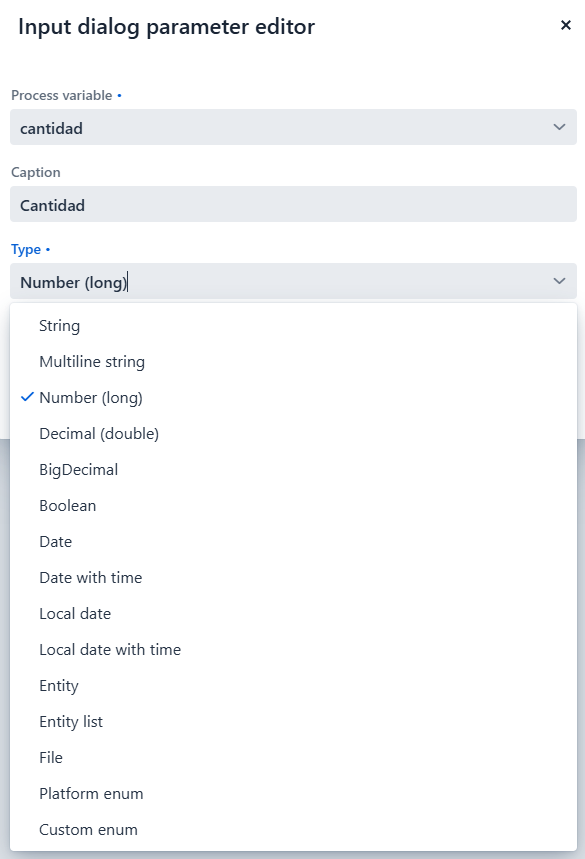
The same problem occurs with Integer, there is no option to select an integer value when declaring the process variables and you have to declare it, for example, type Long, double or bigDecimal.
In my entity I have it declared as an integer type:
Is there any way to put it in? Or is it that integer types are not allowed in the BPM module?
Thanks.