gioviboy
(Sorin Federiga)
1
Hello,
In Jmix version 1.5 i had th folowing code:
<groupBox spacing="true" caption="Timp lucrat (ore)" orientation="horizontal">
    <textField dataContainer="pontajDc" id="ornoField" property="orno" width="60px" caption="Lucrate" editable="false"/>
    <textField dataContainer="pontajDc" id="onptField" property="onpt" width="60px" caption="Noapte" editable="false"/>
    <textField dataContainer="pontajDc" id="orduField" property="ordu" width="60px" caption="Sarbatori" editable="false"/>
    <textField dataContainer="pontajDc" id="otureField" property="oture" width="60px" caption="Ture" editable="false"/>
</groupBox>
How can i achive a similar look in version 2.0.
I want to have a group of textboxes to which I can put a caption.
Thank you
d.kremnev
(Dmitriy Kremnev)
2
Hi!
There is no alternative for the groupBox component in Jmix 2.0.
However, you can easily make a similar component using CSS.
Code:
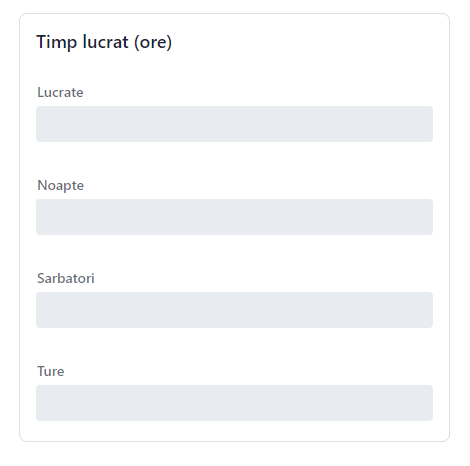
        <vbox classNames="bordered-panel">
            <h4 text="Timp lucrat (ore)"/>
            <textField label="Lucrate"/>
            <textField label="Noapte"/>
            <textField label="Sarbatori"/>
            <textField label="Ture"/>
        </vbox>
Result:
If you want to arrange components horizontally, you can also use CSS.
Code:
        <vbox classNames="bordered-panel">
            <h4 text="Timp lucrat (ore)"/>
            <div classNames="flex flex-row flex-wrap gap-m">
                <textField label="Lucrate"/>
                <textField label="Noapte"/>
                <textField label="Sarbatori"/>
                <textField label="Ture"/>
            </div>
        </vbox>
Result:
This Vaadin documentation article may be useful for you: Utility classes in Vaadin Lumo for responsive design
Regards,
Dmitriy
d.kremnev
(Dmitriy Kremnev)
3
In addition to my reply:
If you need functionality to hide the layout, you can use the details component:
https://demo.jmix.io/ui-samples/sample/details-simple