Hi JMIX team,
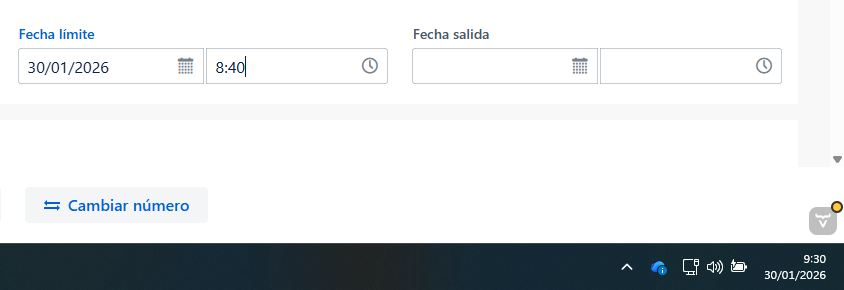
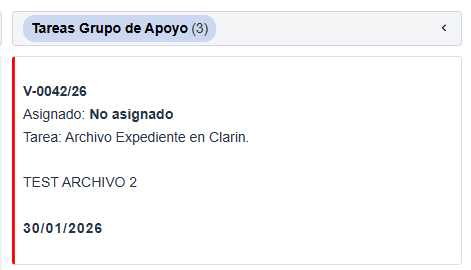
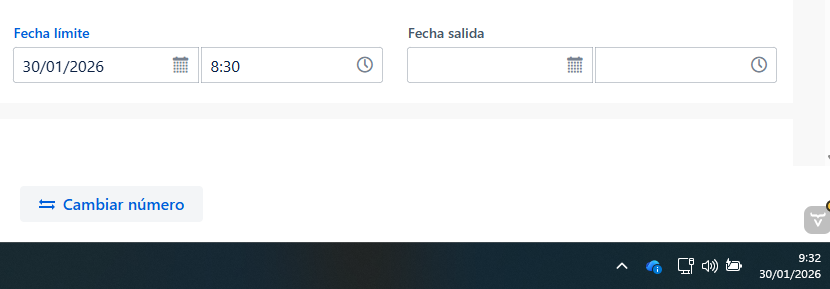
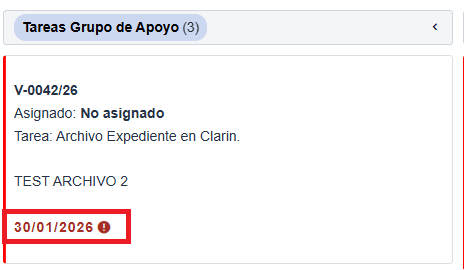
We found that the overdue information is displayed with 1 hour difference.
Currently is 11:49 if the due date is set to 11:00 no delayed info is displayed in the kanban.

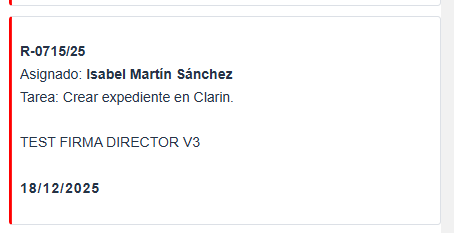
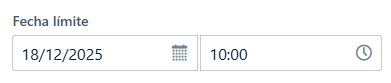
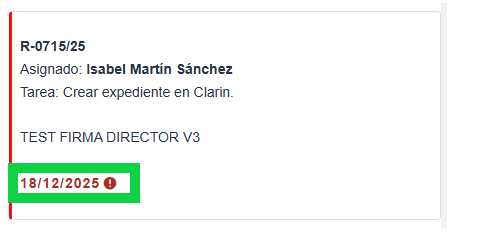
If we change to 10:00 the overdue information is displayed in the Kanban green rectangle.
We gave Javascript code (smart.kanban.js) to ChatGpt and we asked where the mistake is, the answer is listed below, in case this will help.
 Where the problem is
The issue is in this comparison:
s.getTime() < (new Date).getTime()
At first glance it looks fine, but earlier in the code s is manually shifted for timezone:
s.setTime(
  s.getTime() - s.getTimezoneOffset() * 60 * 1000
);
So you end up comparing:
s→ manually timezone-adjustednew Date()→ native local time
These two values are no longer in the same time reference.
 Result: the comparison is off by exactly the timezone offset
(typically 1 hour in most European timezones).
 Why the overdue warning appears 1 hour early/late
JavaScript already stores Date values internally in UTC and converts them to local time automatically.
By subtracting getTimezoneOffset() manually, the code effectively:
- Converts the date into a “fake local UTC”
- While
new Date()remains true local time
This creates a fixed offset error, which is why the overdue flag only changes after one hour.
 The problematic line
This is the root cause:
s.setTime(s.getTime() - s.getTimezoneOffset() * 60 * 1000);
It breaks consistency in all later comparisons.
 Correct solutions (choose one)
Option 1 — Remove manual timezone adjustment (recommended)
Simply remove the timezone correction:
// ❌ remove this
s.setTime(
  s.getTime() - s.getTimezoneOffset() * 60 * 1000
);
JavaScript will handle local time correctly by itself.
 Cleanest solution
Prevents future bugs
Matches Smart UI internal behavior
Option 2 — Adjust now the same way
If you must keep the adjustment on s, then also adjust the current time:
const now = new Date();
now.setTime(
  now.getTime() - now.getTimezoneOffset() * 60 * 1000
);

const isOverdue =
  s.getTime() < now.getTime() &&
  a[t.progress] !== 100;
This keeps both values in the same timezone reference.
Final takeaway
The overdue warning is wrong because:
- One date is manually timezone-shifted
- The other (
new Date()) is not - This causes a 1-hour offset bug
 Removing the manual timezone correction is the correct fix in most cases.
We could try these options but we are not sure how to overwrite this file. ¿Any hint?