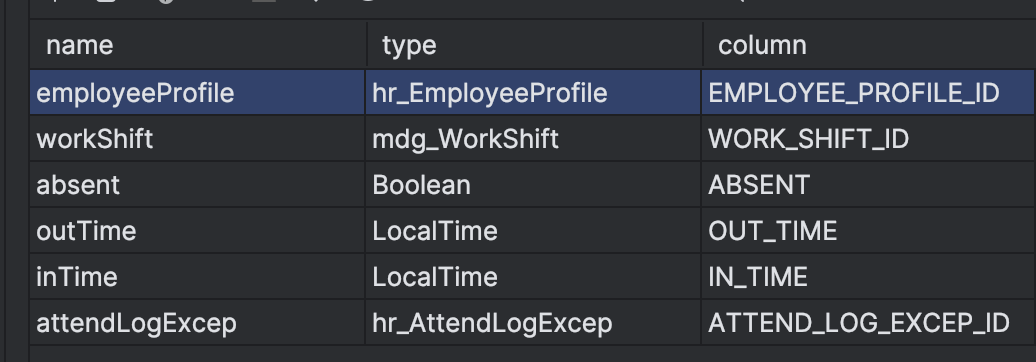
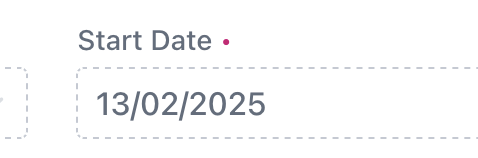
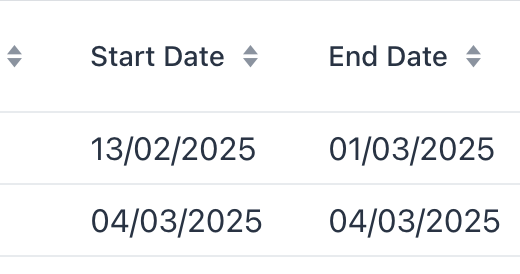
Hi
I have put in the following code in the application properties in order to have the expected date format in my application but it still shows in different format:
#Locale specific formating
jmix.ui.dateFormat=dd/MM/yyyy
jmix.ui.dateTimeFormat=dd/MM/yyyy hh:mm a
jmix.ui.timeFormat=hh:mm a
jmix.core.locale = en
Hi Roman
Thank you. But this is not working for me for any unknown reason. When I have a composite project, do I need to put it in all add-ons or somewhere centrally?
Since my one is composite project, first I tried to use the code in the message.properties in the main application and then also used in the module I have target for this.
If you want to display time in a 12-hour format, you should add ‘a’ to the format string. In my previous post, I only mentioned the correct message keys
For instance, these formats display time in 12h:
dateTimeFormat=dd-MM-yyyy HH:mm a
timeFormat=hh:mm a
localTimeFormat=hh:mm a
Note that messages in your application override messages from all other add-ons.
# Date formats
dateFormat=dd/MM/yyyy
dateTimeFormat=dd/MM/yyyy HH:mm a
timeFormat=HH:mm a
offsetTimeFormat=HH:mm Z
offsetDateTimeFormat=dd/MM/yyyy HH:mm Z
Did not notice in my previous post. Use h in lower case:
dateTimeFormat=dd-MM-yyyy hh:mm a
localDateTimeFormat=dd-MM-yyyy hh:mm a
timeFormat=hh:mm a
localTimeFormat=hh:mm a
offsetTimeFormat=hh:mm a Z
offsetDateTimeFormat=dd-MM-yyyy hh:mm a Z
Hi Roman
The above brings am/pm but not the separator as expected.
I also tried this:
# Date formats
dateTimeFormat=dd-MMM-yyyy hh:mm a
localDateTimeFormat=dd-MMM-yyyy hh:mm a
timeFormat=hh:mm a
localTimeFormat=hh:mm a
offsetTimeFormat=hh:mm a Z
offsetDateTimeFormat=dd-MMM-yyyy hh:mm a Z
As you have noticed the different format, my application doesn’t display the format given: