I am receiving the following error after upgrading from 2.8.1 to 2.8.2:
Execution failed for task ':vaadinBuildFrontend'.
> com.vaadin.flow.server.ExecutionFailedException: Error occured during goal execution: Cannot invoke "com.fasterxml.jackson.databind.node.ObjectNode.fieldNames()" because "oldOverrides" is nullPlease run Maven with the -e switch (or Gradle with the --stacktrace switch), to learn the full stack trace.
I recommend first trying the Gradle clean and vaadinClean tasks, and the try to build the application.
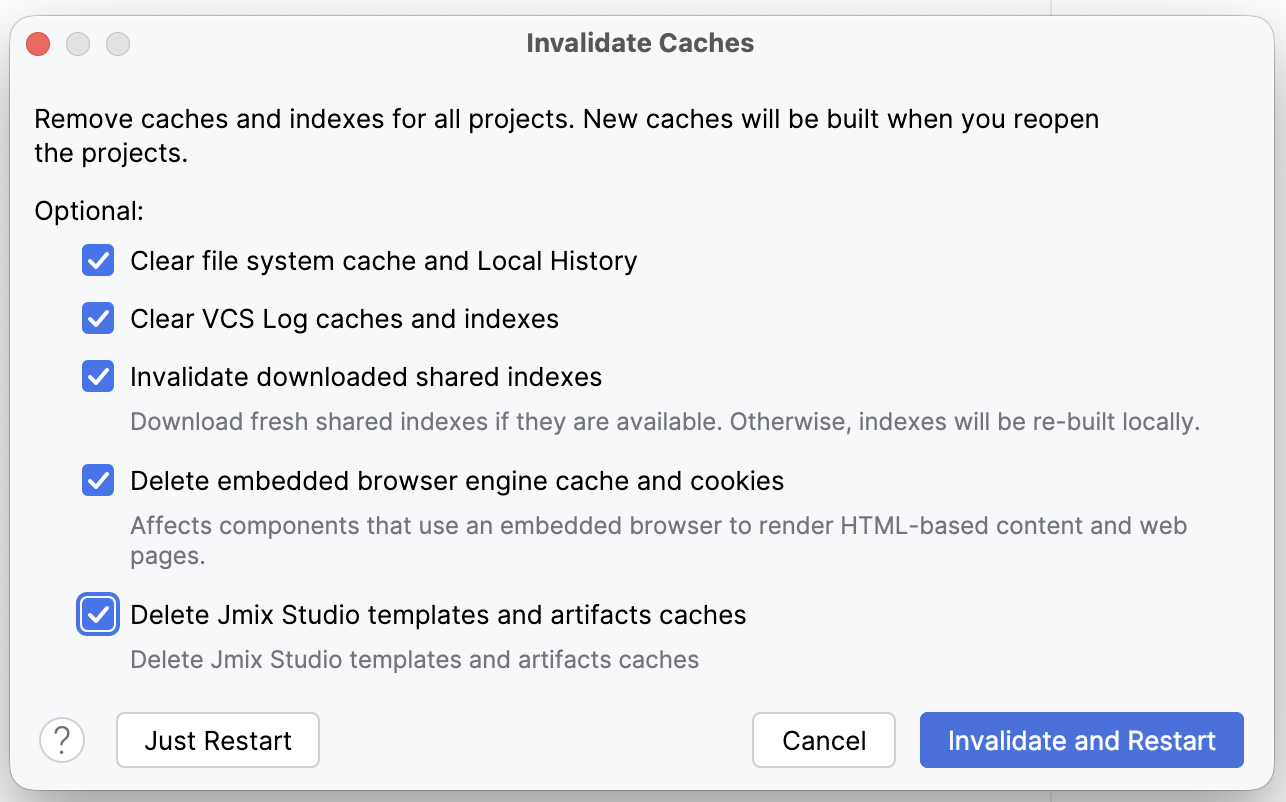
After that, invalidate all caches: File → Invalidate caches with IntelliJ.
I also had this same error after my 2.8.2 upgrade, and invalidating all of the caches, restarting, and executing these two actions immediately after the restart…
./gradlew clean
./gradlew vaadinClean
did not resolve the problem; I tried this procedure twice unsuccessfully.
I then ran…
./gradlew bootRun --stacktrace
as suggested by Konstantin and everything was built and ran as expected, including the building of the front-end before my main view was displayed.
After stopping this bootRun, I started the build in IntelliJ and it worked as expected there also.
Thanks for this report, every piece of information matters.
After you invalidate all the caches, IntelliJ will fetch some artefacts again and process them (Indexing). There are some progress bars at the bottom right; one needs to wait for this to finish before building the application.
I think that this process wasn’t complete, so you got errors. It was done just before you executed ./gradlew bootRun --stacktrace; stacktrace just tells it to give the full stacktrace for the exception.
Thank you for your feedback. I invalidated the caches with this dialog, selecting every option, followed immediately with the automatic restart; therefore, everything should have been finished….
And as I mentioned, I performed this procedure twice without success. I cannot explain why the ./gradlew bootRun –stacktrace resolved this, but it (or something else in the background) did.