Good morning everyone
Guys, could someone help me? I’m trying to reduce the size of a text field component.
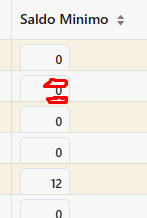
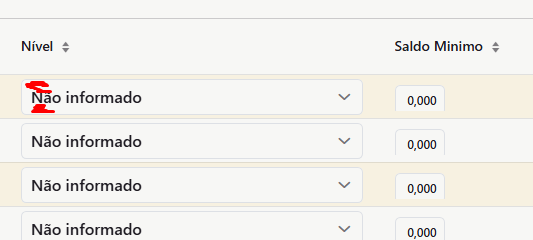
In this specific case, it’s being used in a datagrid. The problem isn’t the font; it’s the area that remains inside the component between the border and the digits, the same issue at the bottom.
I’ve included an image below to show how far I’ve gotten. The component is created dynamically. Below is the part where the text field is created. I’m already using “text-2xs”. The problem isn’t the font; it’s the empty space above and below. Does anyone know a way to reduce this area?
I looked at the B2B CRM example project, took several examples from it, it’s great, but even so,
I managed to reduce the grid a little, it improved, but now the text field is cut off. Is there any way, via CSS or something similar, to improve its appearance?
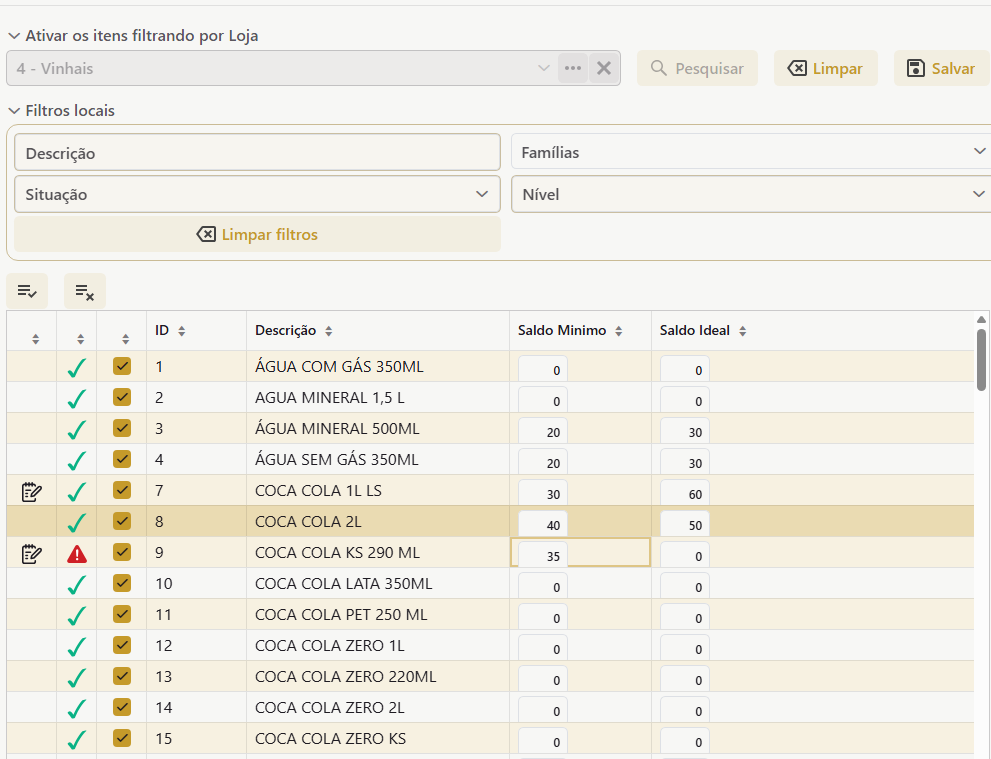
the grid, as this is being created
        <dataGrid id="itemLojasDataGrid"
                  dataContainer="itemLojasDc"
                  minWidth="100px"
                  minHeight="20em"
                  width="100%"
                    themeNames="compact,column-borders">
            <actions>
                <action id="ativarTodos" description="msg://ativarTodos" icon="iconessg:selecionar-todos"/>
                <action id="inativarTodos" description="msg://inativarTodos" icon="iconessg:desmarcar-todos"/>
            </actions>
            <columns resizable="true" sortable="true">
                <column key="alterado" textAlign="CENTER" header="" flexGrow="0" width="40px"/>
                <column key="situacaoImg" textAlign="CENTER" header="" flexGrow="0" width="40px"/>
                <column key="ativarItem" textAlign="CENTER" header="" flexGrow="0" width="40px"/>
                <column property="item.id" width="100px" flexGrow="0"/>
                <column property="item.descricao" autoWidth="true" resizable="true"/>
                <column key="saldoMin" header="Saldo Minimo"/>
                <column key="saldoMax" header="Saldo Ideal"/>
                <column property="id" visible="false"/>
            </columns>
        </dataGrid>
the textField field, as this is being created, to be inside the grid
        TextField editor = uiComponents.create(TextField.class);
        editor.addThemeName("align-right");
        editor.setAutoselect(true);
        editor.setAllowedCharPattern(apenasInteiro ? "[0-9.]" : "[0-9.,]");

        editor.setValue(formatar(valor, apenasInteiro));
        editor.setReadOnly(readOnly);
        editor.setWidth("50px");
        editor.setHeight("20px");
        editor.setValueChangeMode(ValueChangeMode.EAGER);
        editor.addThemeName("small");
        editor.addClassName("text-2xs");
If anyone has a trick up their sleeve and a magic solution to save screen space…