
Hi,
I am following indications explained in,
https://docs.jmix.io/jmix/modularity/extension.html
concretely where it states ,
The @ReplaceEntity annotation indicates that this entity must completely replace the parent entity, specified in the annotation value. This annotation is added by Studio if you select the Replace parent checkbox in the entity designer.
But I cannot find that checkbox in the designer. I updated my JMIX Studio plugin and its version I believe it was 1.2.4. So I am able to use Composite Projects, which works great. However I am not being able to attain the afore mentioned.
Any ideas?
Here’s a screenshot of my entity designer screen:
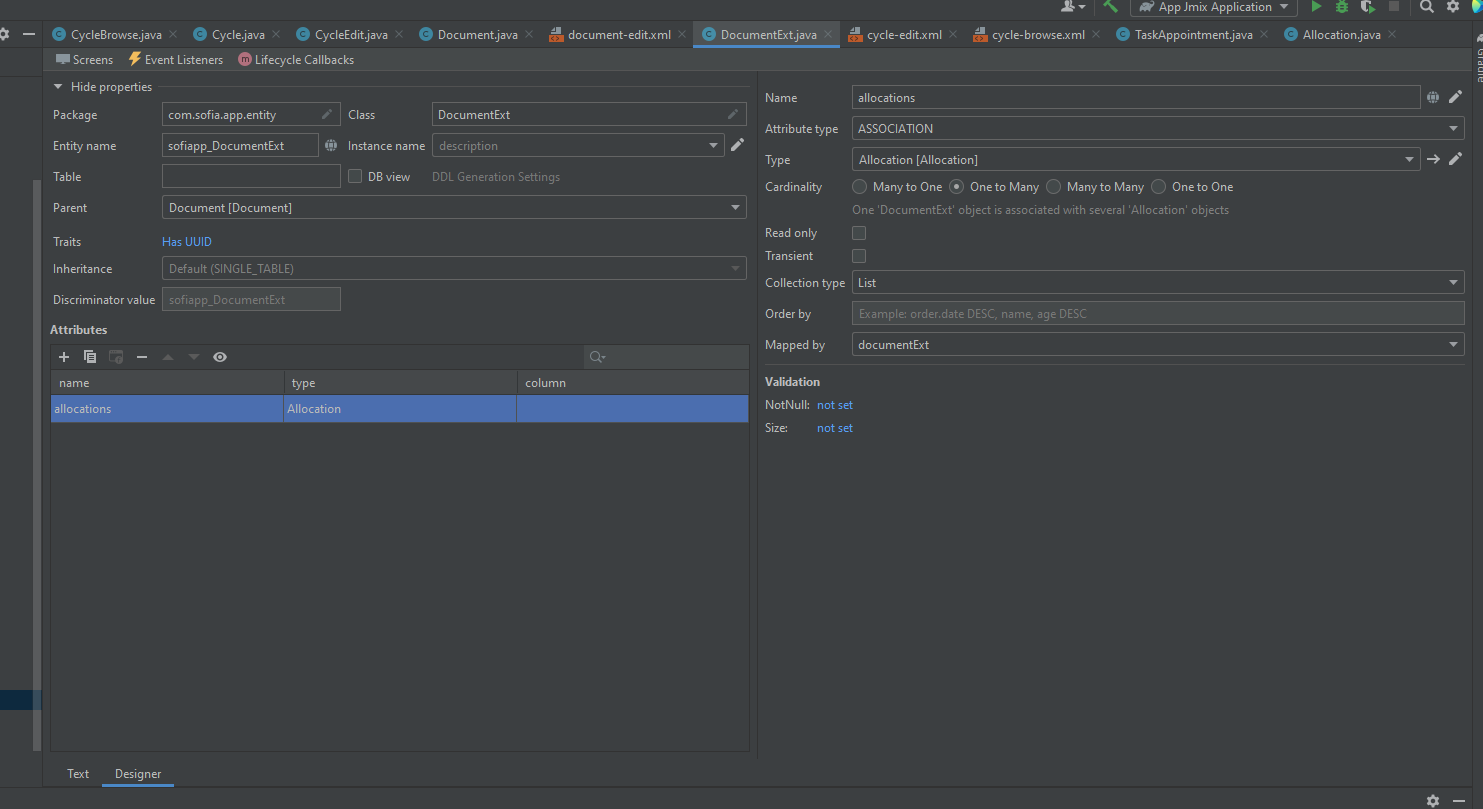
and as you can see that option is nowhere to see. I try to set the annotation @ReplaceEntity(Document.class) after the @Entity annotation, but as soon as I switch to and back from the designer, the annotation gets deleted.
Don’t know if I am missing something really obvious here…
thanks again.
Regards,
Carlos.