Hi,
in one project i cannot create new screen via Screen Wizard, because no template found.
Viz attached screenshot.
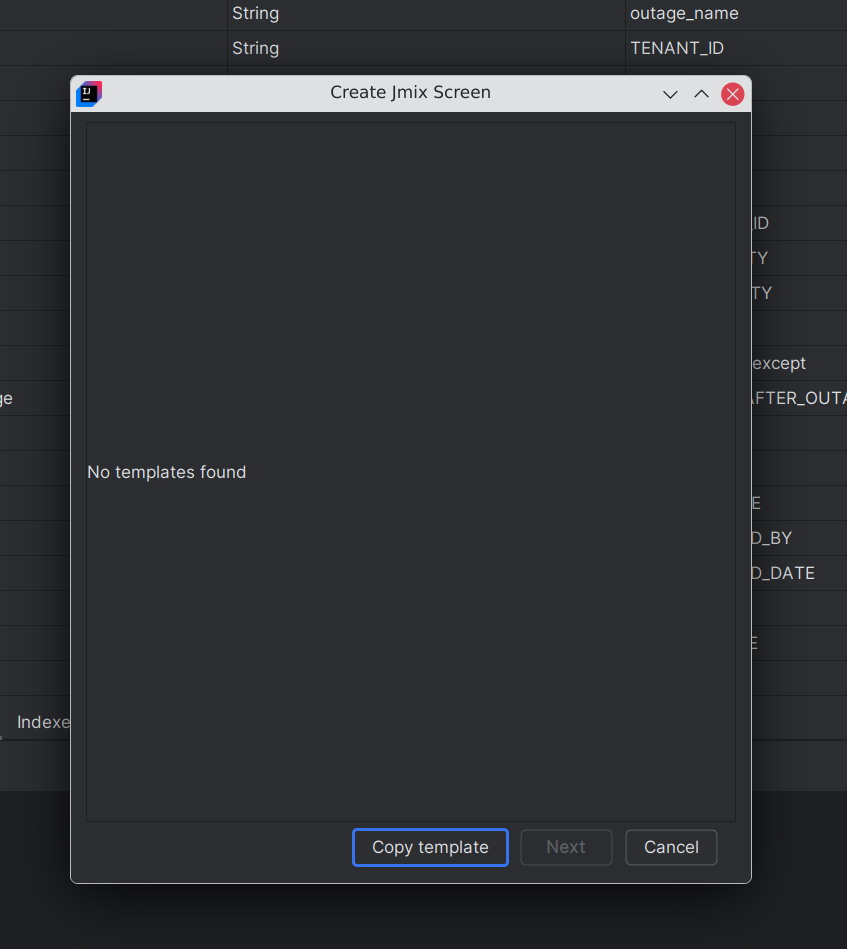
In new project template exists and wizard is working.
I use
Jmix framework 1.7.3,
IdeaUI IntelliJ IDEA 2025.1.7.2 (Community Edition)
Build #IC-251.29188.72, built on July 28, 2026
Source revision: 686031ac7082f
Runtime version: 21.0.8+9-b895.146 amd64 (JCEF 122.1.9)
VM: OpenJDK 64-Bit Server VM by JetBrains s.r.o.
Toolkit: sun.awt.X11.XToolkit
Linux 7.1.8+deb14-amd64
Debian GNU/Linux forky/sid; glibc: 2.42
Kotlin plugin: K2 mode
GC: G1 Young Generation, G1 Concurrent GC, G1 Old Generation
ide.experimental.ui=true
io.jmix.properties.region=global
io.jmix.tutorials.isShow=false
llm.show.ai.promotion.window.on.start=false
io.jmix.stats.enabled=false
Non-Bundled Plugins:
com.intellij.ideolog (251.29188.9)
com.intellij.properties.bundle.editor (251.23774.318)
net.seesharpsoft.intellij.plugins.csv (4.3.1)
io.jmix.studio (2.5.2-251)
Kotlin: 251.29188.72-IJ
Best Regards
mk