
Hello,
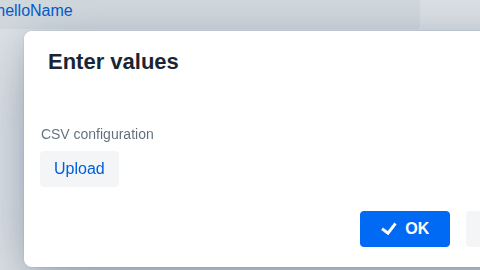
the upload field is not working on my computer. it works on my colleagues’s and in production.
the problem:
on a new project I define a FileUploadField
    @Subscribe("helloName")
    private fun onHelloName(event: ActionPerformedEvent) {
        dialogs.createInputDialog(this)
            .withHeader("Enter values")
            .withLabelsPosition(Dialogs.InputDialogBuilder.LabelsPosition.TOP)
            .withParameters(
                InputParameter.parameter("config")
                    .withLabel("CSV configuration")
                    .withField { uiComponents.create(FileUploadField::class.java) as FileUploadField }
            )
            .withActions(DialogActions.OK_CANCEL)
            .withCloseListener( { closeEvent: InputDialogCloseEvent? ->
                if (closeEvent!!.closedWith(DialogOutcome.OK)) {
                    val configFile = closeEvent.getValue<File?>("config")
                }
            })
            .open()
    }
When I click on the upload file button, the file browser opens correctly. But when I pick a file nothing happen.
AbstractSingleUploadField.onStartedEvent is never called. There is nothing in the logs. All others components seems to work correctly.
Of course the problem comes from on my local configuration but I don’t know what to do or where to look at.
I updated Node.
best regards