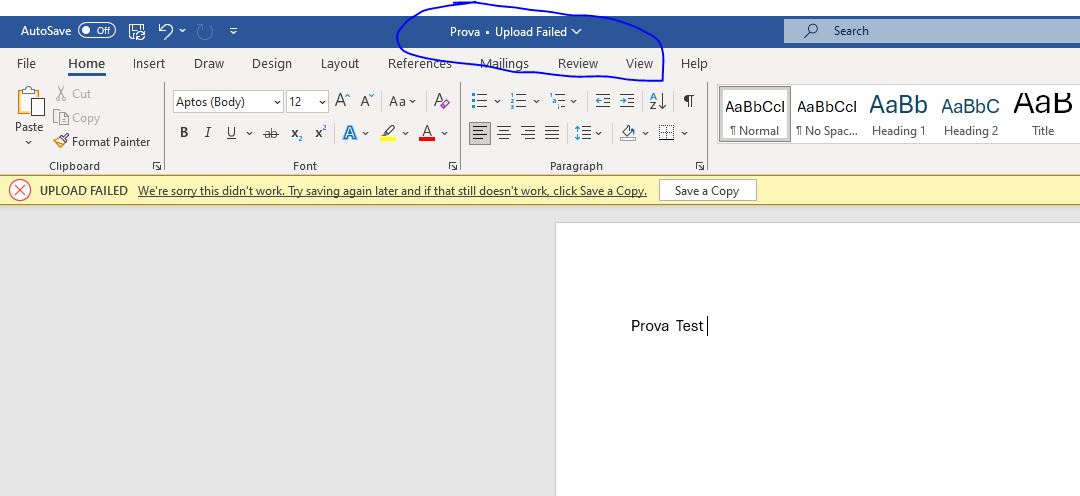
hi,
I am currently working with the Jmix 1.5 framework and utilizing the WebDAV add-on for document editing. The add-on functions seamlessly with LibreOffice, allowing for modifications; however, I am encountering compatibility issues when attempting to use it with Microsoft Office.
my app.properties
server.port = 8443
jmix.webdav.authentication-method=digest
jmix.webdav.url-prefix=https://test.ls.com/webdav
Hi Ivan
I am using trusted certificate according to Configuration :: Jmix Documentation and everything works perfect in local, but i want a specific parameter or a specific certificate when i run the application in production, when i run without the https configuration (
Enables HTTPS
server.ssl.enabled=true
server.ssl.key-store-type = JKS
server.ssl.keystore=C:/Users/Armando/eclipseworkspace/sucoreba/src/main/resources/keystore/localhostArmando.jks
server.ssl.key-store-password = *****
server.ssl.key-alias = 1
)
in app.properties, but just the
server.port = 8443
jmix.webdav.authentication-method=digest
jmix.webdav.url-prefix=https://armando.lucanasistemi.com/webdav
because the app is running in https://armando.lucanasistemi.com with our SSL certificate.
The documentation says “IMPORTANT -The use of a self-signed certificate is appropriate only for testing. Always use SSL certificates issued by a trusted authority for running production applications.”
and with our certificate does not work, shows always “upload failed”, and i asking you about what type of certificate with some parameter we must to use for this bug.
I would appreciate it if ypu give me your advice/solution as soon as possible.
Hi Ivan, https://armando.lucanasistemi.com yes it is a proxy server.
and after we analyse the proxy, was a problem with mod_security.
The problem solved: